Assistive Technology
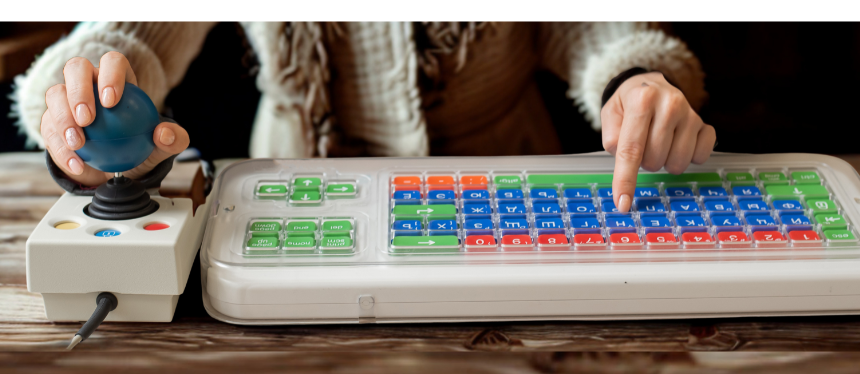
Assistive Technology
Assistive Technology
Assistive Technology (AT) has the power to level the playing field, foster independence, and ensure that every learner and individual can fully participate in the classroom. These resources connect educators, students, speech-language pathologists, and families to available AT tools, training, and support frameworks.
AT in New Jersey
Assistive Technology Center | TCNJ - The AT Center is committed to enhancing educational outcomes for children and youth with disabilities by offering professional development opportunities for New Jersey’s academic community. Take advantage of diverse workshops, including personalized professional learning experiences tailored to your district’s needs. Gain access to valuable resources and training designed to empower families to make informed decisions about assistive technology.
Assistive Technology Guide for New Jersey | NDI- This guide has been prepared to strengthen awareness of Assistive Technology, accommodations, and accessible equipment funding and service programs.
Assistive Technology Lending Center - A free service for New Jersey residents. Anyone with a disability who would like to trial assistive technology.
Assistive Technology for Special Education | NJDOE - Children with disabilities have the right to participate in everyday activities with their typically developing peers. The appropriate use of assistive technology (AT) in the classroom or playgroup, at home, and in the community supports natural learning opportunities and the successful inclusion of children with disabilities in the full array of services and settings that are available to all young children.
The Richard West Assistive Technology Advocacy Center (ATAC) - The Richard West Assistive Technology Advocacy Center (ATAC) serves as New Jersey's federally funded assistive technology project through a sub-contract with New Jersey's Department of Labor and Workforce Development. Its purpose is to assist individuals in overcoming barriers in the system and making assistive technology more accessible to individuals with disabilities throughout the state.
Assistive Technology Information & Resources
Accessibility Resources - GAAD - Recommended accessibility features, technology, tools, and learning resources.
Accessibility Technology & Tools | Microsoft
Apps for Kids with Special Needs and Learning Disabilities | Common Sense Media - Find apps, games, and other tools to help kids with special needs and learning disabilities.
Assistive Technology | ECTA Center
Assistive Technology Basics | Understood.org
Assistive Technology: Mission Accomplished | LRC-S Quick Tip
Assistive Technology | School and Learning | Understood.org
Assistive Technology Devices and Services for Children With Disabilities Under the IDEA - The Office of Educational Technology and the Office of Special Education Programs are pleased to share the below guidance in support of children with disabilities who need assistive technology (AT) devices and services for meaningful access and engagement in education.
Assistive Technology Can Benefit All Students | Edutopia
Assistive Technology Center | Advancing Opportunities - New Jersey’s online resource for information and equipment to help people with disabilities, their families, teachers and employers identify and learn to use the technology that will be most effective in meeting their goals.
Assistive Technology: Finding the Right Resources for All Students | Getting Smart
Assistive Technology for Kids with Learning Disabilities: An Overview | Reading Rockets
Assistive Technology That's Built Into Mobile Devices
Association of Assistive Technology Act Programs | About ATAP
AT Decision Making | PaTTAN - Tools to guide the decision-making processes used by IEP teams to determine the need for AT. Utilize assessment and data collection to guide the selection and implementation of AT devices and services.
AT Resources - Assistive Technology Industry Association
Augmentative and Alternative Communication (AAC) - Please explore these resources on our Online Resources: Disability-Specific: Communication page
BeeLine Reader: making reading on-screen easier and faster.
BridgingApps | Apps for Special Needs
"Byte"-sized Assistive Technology with Dr. Alicia Drelick | LRC-South PL Short - These short training modules are designed for teachers, related service providers, and administrators. Divided into five parts, the series offers a general overview of assistive technology and its applications in the classroom. Participants can gain an understanding of assistive technology's definition, purpose, and significance in supporting students with disabilities. The series covers the consideration of assistive technology during the IEP process, explores text-to-speech and speech-to-text tools, and addresses its use for executive functioning skills.
Creatability - Creatability is a set of experiments made in collaboration with creators and allies in the accessibility community. They explore how creative tools – drawing, music, and more – can be made more accessible using web and AI technology.
CORGI - Digital graphic organizers for building higher-order thinking skills
CTD-AT Keyring - Easy to access examples of low and high tech that span ages and types of support.
ECTA Center: Assistive Technology - The appropriate use of assistive technology (AT) in the classroom or playgroup, at home, and in the community supports natural learning opportunities and the successful inclusion of infants, toddlers and young children with disabilities in the full array of services and settings that are available to all young children.
Easy Ways to Bring Assistive Technology Into Your Classroom | Edutopia - Free or low-cost tools can help all students—with and without learning differences—better access course content.
Immersive Reader | What is the Immersive Reader? - Microsoft Immersive Reader is a free tool, built into Word, OneNote, Outlook, Office Lens, Microsoft Teams, Forms, Flipgrid, Minecraft: Education Edition and the Edge browser, that implements proven techniques to improve reading and writing for people regardless of their age or ability.
IRIS | Assistive Technology: An Overview - Module offers an overview of assistive technology (AT) and explores ways to expand students' access to it in the classroom.
Meet Boardmaker Activities-to-Go! - A collection of standardized picture symbols used for communication with students
National Disability Center - Assistive Technology Loan Program
QIAT - Quality Indicators for Assistive Technology - Guiding the Provision of Quality AT Services
QIAT Quick Tip | LRC-South - Learn more about using QIAT Indicators as part of your IEP Assistive Technology considerations.
Resources for Supporting Learners with Disabilities | Digital Promise
Seeing AI App from Microsoft - Seeing AI is an artificial intelligence application developed by Microsoft for iOS. It uses the device camera to identify people and objects, and then the app audibly describes those objects for people with visual impairment. Now available in Italian, Turkish, Dutch, German, French, Japanese and Spanish.
The SETT Framework for AT Tool Selection - Learn how to use the SETT framework to identify a struggling student's learning needs and match that with the most appropriate assistive technology options. A case study is provided.
Special Education and Accessibility Resources for Remote Learning | Microsoft
Tech Toolbox™ | The Arc - The Arc's Tech Toolbox™ is a place to find, share, rate and review technology for people with intellectual or developmental disabilities (I/DD).
UDL Tech ToolKit - A collection of online tools and resources to engage all learners
Understanding Assistive Technology: Simply Said - The definition of Assistive Technology presented by the PACER Simon Technology Center
Explore additional professional learning resources with our PL Short video collection.


